Beyond the Screen: The Best Alternatives to Learning Tablets for 9-Year-Olds
Introduction
In the digital age, learning tablets have become a go‑to tool for parents hoping to give their 9-year-old a head start in education. Apps, interactive games, and endless videos promise to teach everything from math to music. Yet a growing body of research warns that excessive screen time can impair attention spans, reduce physical activity, and limit opportunities for creative, hands‑on exploration. At age nine, children are in a sweet spot of cognitive development: they can reason abstractly, follow multi‑step instructions, and collaborate with peers, but they still crave tactile, sensory experiences. Rather than banning technology entirely, the smartest approach is to replace the tablet with equally engaging, yet more physically and mentally nourishing, alternatives. This article explores the best screen‑free and low‑screen options that can foster learning, creativity, and social skills—without the glow of a backlit display.
The Case for Screen‑Free Learning
Before diving into specific alternatives, it is worth understanding why learning tablets may not be ideal for many 9-year-olds. At this age, children are developing executive functions—planning, impulse control, and working memory. Tablets often deliver instant gratification through short‑form content, which can weaken a child’s ability to sustain focus on longer tasks. Moreover, the American Academy of Pediatrics recommends no more than one to two hours of recreational screen time per day for this age group, yet many educational apps blur the line between learning and passive consumption. Studies from the University of California have shown that hands‑on activities lead to deeper neural encoding than screen‑based instruction, particularly in areas like spatial reasoning and problem‑solving. Finally, social interaction suffers: a tablet is a solitary experience, while nine-year-olds thrive on cooperative play, negotiation, and verbal exchange. The alternatives below are designed to hit all the right cognitive and social buttons while keeping the child engaged for hours.
Hands‑On STEM Kits and Building Sets
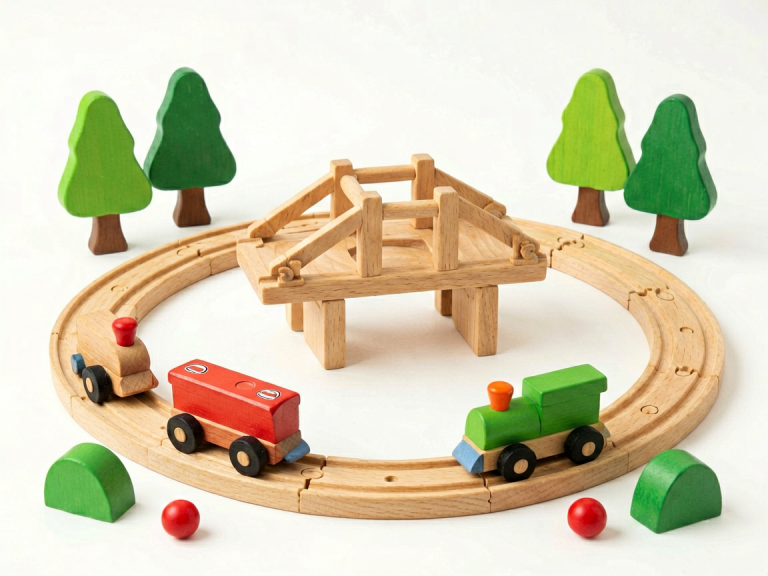
One of the most direct replacements for an educational tablet is a high‑quality STEM kit. For a 9-year-old, kits that combine engineering, physics, and creativity are especially effective. Products like LEGO Technic or MECHANICAL STEM sets (e.g., snap‑together circuits, hydraulic arms, or solar‑powered cars) allow children to build real, moving objects. Unlike a tablet simulation, a physical mistake—a gear that doesn’t mesh or a bridge that collapses—teaches immediate cause and effect. The child must debug the structure, reread instructions, and adjust, all of which build resilience and analytical thinking. For example, the “Thames & Kosmos” robotics series offers kits that teach basic programming without a screen: by sliding coded tiles into a board, the child controls a motorized rover. This introduces logic and sequence without the distraction of animations. Moreover, these kits often require two or more children to collaborate, turning a solitary activity into a social one. A nine-year-old can spend an entire afternoon iterating on a design, far more engaged than they would be swiping through math drills.
Classic Board Games and Strategy Games
Board games are perhaps the most underestimated learning tool for this age group. Games like “Settlers of Catan Junior,” “Ticket to Ride,” and “Chess” teach resource management, spatial planning, and probabilistic thinking. Research from the University of Cambridge shows that regular board game play improves mathematical fluency and working memory in children aged 8–10. Unlike tablet games, which often adjust difficulty automatically, a board game forces the child to negotiate with opponents, handle luck, and learn from real‑time feedback. A 9-year-old playing “Blokus” must visualize shapes rotated in space—a skill directly linked to future success in geometry and engineering. Cooperative games, such as “Forbidden Island” or “Outfoxed,” teach teamwork and communication: the child must articulate strategies, listen to others, and compromise. These are exactly the executive‑function skills that screen‑based apps often fail to develop. Also, board games are inherently social: siblings, parents, and friends gather around a table, sharing laughter and frustration—an irreplaceable human connection.
Books, Audiobooks, and Creative Writing
Reading remains the most powerful alternative to a learning tablet, but the key is to make it active and varied. For a 9-year-old, graphic novels (like “Amulet” or “Bone”) bridge the gap between visual stimulation and text, while chapter books (such as the “Percy Jackson” series) build stamina and vocabulary. Audiobooks are another excellent low‑screen option: listening to a narrated story improves comprehension and pronunciation, and children can follow along with a physical book. Even more engaging is creative writing. Encourage the child to write their own stories, perhaps inspired by a board game they just played or a science experiment they conducted. Use tools like a typewriter (yes, a child‑friendly manual typewriter!) or a simple spiral notebook—no tablet needed. For example, a nine-year‑old who builds a LEGO castle can then write a “history” of the kingdom, developing narrative skills and organizing thoughts. This process—imagining, drafting, revising—is far richer than the multiple‑choice exercises on a learning app. As a bonus, reading and writing offline reduce eye strain and promote better sleep.
Outdoor Exploration and Nature‑Based Learning
The great outdoors offers a curriculum that no tablet can replicate. A 9-year-old’s brain is wired to observe patterns, ask questions, and experiment with the physical world. Simple activities like mapping a backyard garden, collecting leaves for a press, or building a sundial teach biology, physics, and geography. “Citizen science” projects, such as the “Project FeederWatch” (tracking birds) or “iNaturalist” (using a camera—low screen time—for identification), are excellent because they combine observation with data collection. However, to stay truly screen‑free, consider a field journal. The child can sketch plants, note weather conditions, and record insect behavior. A magnifying glass, a compass, and a simple compass can lead to hours of self‑directed investigation. According to the Children & Nature Network, this kind of unstructured outdoor play boosts creativity, reduces anxiety, and improves executive function. For nine‑year‑olds, even a simple scavenger hunt (“find five different shades of green”) sharpens visual discrimination and patience—skills that are dulled by the rapid pace of tablet content.
Art Supplies and Musical Instruments
Creative arts are another outstanding alternative. Painting, drawing, sculpting with clay, or weaving not only develop fine motor skills but also provide a non‑digital outlet for self‑expression. For a 9-year-old, advanced art kits—such as watercolor sets, charcoal pencils, or a small pottery wheel—offer a sense of mastery. Unlike a drawing app where undo is one tap away, physical art forces the child to accept imperfection and adapt, building emotional regulation. Similarly, learning a musical instrument like a ukulele, recorder, or keyboard has been shown to improve math skills, memory, and discipline. A child can practice with a simple sheet music book or a structured program like “Suzuki” that relies on listening and repetition—no screen needed. The act of making sounds with one’s own hands and breath is profoundly satisfying and engages the brain differently than passive listening. Sets of “boomwhackers” (color‑coded tubes) allow group play and rhythm training without any technology at all.
Educational Subscription Boxes (Screen‑Free Varieties)
Subscription boxes have exploded in popularity, and many are designed specifically as tablet alternatives. KiwiCo’s “Tinker Crate” delivers monthly engineering challenges (e.g., building a hydraulic claw or a spinning top), while “Little Passports” sends geography‑themed activities such as passport stamps, maps, and craft projects. These boxes are hands‑on, age‑appropriate, and often require reading instructions, measuring, and problem‑solving. For a 9-year-old, “Mel Science” offers chemistry sets that pair with a physical kit and a phone‑based augmented reality component—but you can choose to use only the physical materials. What makes these boxes superior to a tablet is that they arrive like a gift, sparking curiosity, and the activities take time and patience. They also encourage recycling, organization, and creative reuse of materials. Many parents report that their 9-year‑olds actively look forward to the monthly project rather than defaulting to a tablet for entertainment.
Coding and Robotics Without Screens
Coding is often touted as a must‑learn skill, but it does not require a tablet. “Unplugged” coding activities teach computational thinking using cards, arrows, and physical robots. For example, the “Cubetto” robot (for younger kids, but adaptable) uses a wooden board and colored blocks to program movement—no screen whatsoever. For a 9-year-old, the “Code & Go Robot Mouse” activity set allows children to lay out tiles to create a maze and then program a small mouse to find cheese; this teaches sequencing, debugging, and logic. Even simpler: use graph paper and a pencil to write a “code” for a partner to follow, like walking a route through the room. These activities develop the same neural pathways as screen‑based coding but without the distraction of bright colors and ads. Robotics kits like “OWI Robotics” sell small solder‑free robots that assemble step by step; the child learns mechanical principles and gains a sense of accomplishment when the robot moves.
The Role of Parental Guidance and Balanced Choice
No single alternative works for every child. The best approach is to let the 9-year-old choose from a curated selection. Parents can set up a “choice board” with pictures of board games, art projects, outdoor missions, and building sets. Allow the child to plan their own screen‑free learning time. It is also important to model the behavior: if a parent is always on a phone, the child will resist alternatives. Set non‑negotiable screen‑free hours (such as dinner and the hour before bed) and fill them with interactive, hands‑on activities. The goal is not to demonize tablets—they have their place for quick reference or educational videos—but to make them the exception, not the rule. By providing rich, varied alternatives, you give your 9-year‑old the best possible foundation for creativity, problem‑solving, and social connection.
Conclusion
Learning tablets are convenient, but they come with hidden costs for a 9-year‑old’s developing brain. The alternatives presented here—STEM kits, board games, books, outdoor exploration, art, music, subscription boxes, and unplugged coding—offer deeper, more meaningful learning experiences. They engage the whole child: hands, eyes, ears, and heart. They teach patience, resilience, and collaboration. Most importantly, they create memories that a glowing screen never can. By replacing the tablet with these thoughtful tools, you are not just limiting screen time—you are opening a world of wonder. Every parent can make this shift, and every 9-year‑old will thank you for it, even if they don’t say it now. The best learning happens when the screen goes dark, and the imagination turns on.