The Parent’s Guide to Buying Coding Toys for 3-Year-Olds: Playful Foundations, Not Screens
Walk into any toy store or scroll through an online marketplace, and you will be bombarded with “coding toys” for children as young as three. Some promise to turn your toddler into a future software engineer; others boast robot companions that blink, beep, and shuffle across the floor. As a parent, you might feel both intrigued and overwhelmed. Should a three-year-old really be learning to code? And if so, what should you actually buy? The honest answer is that at age three, children are not ready for syntax, loops, or conditional statements. But they are absolutely ready for the *foundational thinking* behind coding: sequencing, pattern recognition, cause and effect, and problem-solving. This guide will help you navigate the confusing market, avoid gimmicks, and choose toys that genuinely support your child’s development while keeping play joyful, safe, and screen-free whenever possible.
Why Start at Three? The Surprising Benefits of Early Coding Concepts
Before opening your wallet, it helps to understand what “coding” means for a toddler. At this age, the brain is rapidly developing connections related to spatial awareness, logical reasoning, and fine motor skills. Coding toys for three-year-olds should not teach programming languages; instead, they should introduce the *language of logic* through physical play. For example, a toy that requires a child to press a sequence of buttons to make a car move forward, turn left, and then stop teaches sequencing—an essential coding concept. Another toy might ask the child to place colorful cards in a specific order to guide a friendly robot to a target, which introduces algorithms in a tangible way.
Research in early childhood education shows that toddlers learn best through hands-on, multisensory experiences. A wooden block with a symbol is more meaningful to a three-year-old than an app on a tablet. Furthermore, these toys encourage patience and persistence. When a robot does not do what the child expected, the child must think, adjust, and try again. That cycle of “predict, act, observe, revise” is the true heart of computational thinking. By starting at three, you are not pushing academics; you are nurturing a growth mindset that will benefit every future learning experience.
The Golden Rules: Safety, Simplicity, and Open-Ended Play
When evaluating any coding toy for a three-year-old, keep three golden rules in mind: safety, simplicity, and open-ended play.
Safety comes first. Look for toys made of non-toxic, durable materials with no small parts that could become choking hazards. Batteries should be securely enclosed, and cords or charging cables should be either absent or designed for adult supervision only. At age three, children still put things in their mouths, so any detachable piece must be larger than their fist. Check for safety certifications like CE or ASTM, and read reviews from other parents about durability—a fragile toy that breaks on day two will not teach anyone anything.
Simplicity is key. A coding toy for a toddler should have a very low entry barrier. If your child cannot understand how to make the toy do something within the first few minutes, it will quickly end up in the closet. The best toys have only one or two buttons or cards, visual icons rather than text, and immediate feedback. For instance, a robot that moves forward when you press a big yellow button gives instant joy. A toy that requires reading instructions or navigating menus is far too complex for a three-year-old.
Open-ended play means multiple ways to use the toy. Avoid toys that only do one scripted thing, like a dinosaur that walks and roars. Instead, look for toys that can be combined with blocks, cardboard boxes, or household items. A coding toy should be a catalyst for imagination, not a rigid machine. For example, a programmable car can be used to deliver a toy letter to a stuffed animal, creating a story. If the toy allows the child to rearrange paths or add obstacles, it becomes a versatile learning tool that grows with the child.
Types of Coding Toys That Actually Work for Toddlers
Now that you have your criteria, let us explore the main categories of coding toys that are developmentally appropriate for a three-year-old.
1. Physical Coding Cards and Story Mats. These are simple mats (often paper or plastic) with grids, and a set of coding cards showing arrows, command words, or pictures. The child places cards in a sequence to direct a toy character, a child themselves, or a caregiver to move from one point to another. For example, a bear mat with pictures of a cave, a river, and a tree might require the child to “program” the path from the cave to the tree using forward and turn cards. This is excellent for sequencing and spatial reasoning. It also encourages verbal communication as the child explains their plan.
2. Programmable Floor Robots with Minimal Buttons. Many companies sell small, dome-shaped robots with just three or four large buttons: forward, backward, left, right, and sometimes a “go” button. These robots are perfect for three-year-olds. The child presses a sequence and then presses a giant play arrow to see the robot execute the commands. The physical movement and bright colors are highly engaging. Some models even allow you to draw on the floor with tape or use the robot to push toys. Always choose a model with easy-to-clean surfaces and a simple charging dock that a toddler cannot access alone.
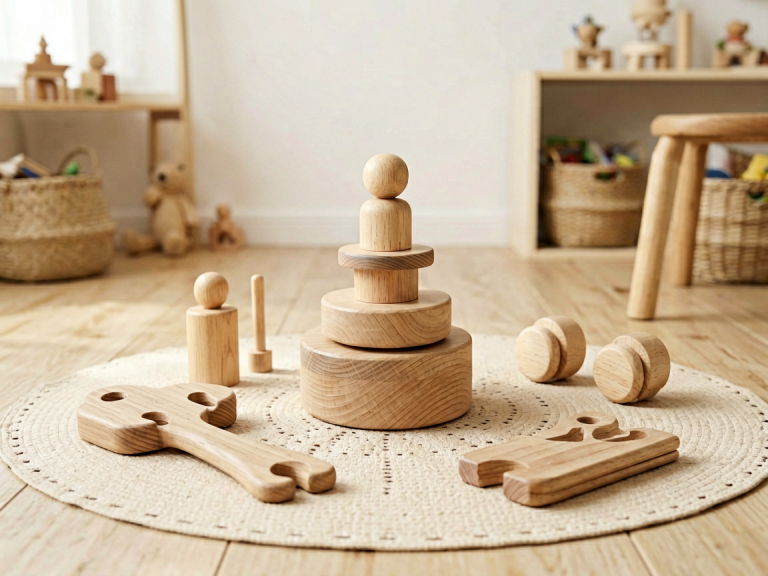
3. Wooden Logic Maze Games. Though not technically “robotic,” these toys involve moving a magnetic ball through a maze by tilting boards or using magnetic wands. They strengthen the same problem-solving muscles and introduce the concept of breaking a challenge into smaller steps. Some wooden mazes come with directional arrows that the child can place to plan a route. These toys are tactile, quiet, and beautiful—a great addition to any playroom.
4. Coding-Themed Building Blocks. Blocks with embedded symbols, connectors, and simple switches can allow a child to build a path or a “machine” for a marble or a toy car. For example, a set of ramps and tunnels where the child must figure out which combination makes the ball land in a bucket. While not called coding toys, these teach engineering logic and predictive thinking, which are fundamentally coding skills.
5. Subscription Boxes with Guided Activities. Some companies curate monthly boxes for toddlers that include a picture book, a simple robot, and cards with step-by-step challenges. The book often features characters who need to solve a problem—like a bird who must find its nest—and then the child helps by placing cards or pressing buttons. This narrative context is incredibly effective for three-year-olds, who understand stories better than abstract commands. If you choose a subscription, check that the components can be used independently and do not rely heavily on a smartphone app.
Red Flags: What to Avoid in a “Coding” Toy
The market is full of products that *look* educational but are actually just digital entertainment. As a savvy parent, beware of the following red flags.
First, avoid toys that require a tablet or phone as the primary interface. A three-year-old should not be staring at a screen to learn coding. The value of physical toys lies in real-world manipulation, three-dimensional thinking, and social interaction. While some apps can be educational, they often replace active play with passive consumption. If a toy’s main function is an app, skip it.
Second, avoid toys with too many buttons and features. A toy with 20 command options, sounds, music, flashing lights, and multiple modes will overwhelm a toddler. Children this age thrive in simple, predictable environments. Just as you would not hand a baby a remote control with all its buttons, you should not hand a three-year-old a “smart” robot with endless functions. The toy should have a clear cause-and-effect relationship: press one button, get one outcome.
Third, avoid toys that are overly competitive or time-based. Some coding games involve a countdown timer or reward points for speed. This creates anxiety and undermines the exploratory, iterative nature of coding. At age three, the process matters more than the result. A toy that gets “angry” or emits a sad sound when the child makes a mistake is also problematic. Look for neutral or cheerful feedback instead.
Finally, avoid toys that are marketed as “teaching a real programming language.” That is simply marketing nonsense at this age. No toddler will learn Python or Scratch. They might memorize icons, but that is not the goal. Your goal is to build thinking skills, not to prematurely force technical knowledge. Trust your instincts: a toy that feels too advanced for your child probably is.
How to Introduce the Toy: Making It a Shared Adventure
Once you have chosen the perfect coding toy, the way you introduce it is just as important as the toy itself. Children learn best through guided participation, not by being left alone with a gadget. Sit down with your child and model curiosity. Say, “What do you think this little car will do when I press this red button?” Then press it together and exclaim at the result. Let your child take the toy and explore freely, even if they do not use it “correctly.” At age three, banging the robot gently or putting the cards in a stack is perfectly fine. Your patience and enthusiasm will show the child that experimentation is more valuable than success.
Use the language of coding during play. Say words like “plan,” “sequence,” “step,” “pattern,” and “debug.” For example, if the robot goes left instead of right, you can say, “Oops, our sequence had a bug. Let’s debug it! What should we change?” This vocabulary does not need to be formally taught; it becomes natural through conversation. You can also connect the toy to real life. After playing with a path-following bear, you might walk to the kitchen and say, “We need to sequence our steps to make a snack: first wash hands, then open the cabinet, then take the cup.” This turns everyday routines into unplugged coding lessons.
Another tip is to rotate toys. A three-year-old can quickly lose interest if the same toy is always available. Keep the coding toy fresh by bringing it out only during special “playdates with the robot” times. Combine it with blankets, cushions, and furniture to create a giant obstacle course. You might also have your child give you commands to act out—a classic “human robot” game. When you say, “Simon, move forward three steps and then stop,” and your child gives the commands, they are practicing planning and perspective-taking. This is free, playful, and deeply educational.
Conclusion: The Best Toy Is the One That Sparks Curiosity
Buying coding toys for a three-year-old should be guided by a simple principle: the toy is not a tool to produce a computer programmer, but a doorway to a world of reasoning and discovery. The best coding toy for your child is one that they return to again and again, not because they have to learn, but because they love the feeling of making something happen. It might be a cute robot that wobbles, a set of wooden cards, or even a homemade cardboard contraption with paper arrows. What matters is the interaction—the squinting eyes, the pausing to think, the giggle when the robot finally reaches the target, and the proud shout of “I did it!”
As a parent, you do not need to understand programming or buy expensive gadgets. You just need to observe your child, follow their lead, and celebrate their small victories. Remember that every great coder was once a toddler who wondered, “What happens if I press this button?” That curiosity is the real curriculum. So choose safe, simple, open-ended toys. Put away the screens. Sit on the floor and play together. And as your child learns to sequence, predict, and debug miniature problems, know that you are building something far more valuable than a future resume: a resilient, curious, confident mind. After all, the most important programming language your child will ever learn is the language of thinking, and you are the first and best teacher they will ever have.