Screen-Free and Safe: Exploring Safer Alternatives to Coding Toys for Young Learners
In recent years, coding toys have become a staple in many households and classrooms, promising to introduce children to the fundamentals of programming, logic, and problem-solving. From programmable robots to electronic building blocks, these toys are designed to make coding accessible and fun. However, as their popularity grows, so do concerns about safety. Many coding toys contain small parts that pose choking hazards, require screen time that can affect eyesight and sleep patterns, rely on batteries that may leak or overheat, and include wireless connectivity that raises privacy risks. For parents and educators seeking to nurture computational thinking without compromising safety, it is essential to explore safer alternatives. These alternatives not only minimize physical and digital dangers but also often provide richer, more tactile learning experiences. This article presents a range of screen-free, low-tech, and responsibly designed options that teach coding concepts while prioritizing the well-being of young learners.
The Hidden Risks of Conventional Coding Toys
Before diving into alternatives, it is crucial to understand why traditional coding toys can be problematic. First, many popular coding robots come with dozens of tiny plastic pieces, connectors, and wheels. A child under three years old can easily swallow these, leading to emergency room visits. Even for older children, small batteries like coin cells are extremely dangerous if ingested, causing internal burns within hours. Second, screen-based coding toys—those that use tablets, mobile apps, or built-in displays—contribute to excessive screen time. The American Academy of Pediatrics recommends no more than one hour of high-quality screen time per day for children aged 2 to 5, yet many coding apps encourage extended engagement. Staring at a screen for long periods can lead to digital eye strain, reduced physical activity, and disrupted sleep. Third, toys with Bluetooth or Wi-Fi connectivity can be vulnerable to hacking, exposing children's data or allowing unwanted communication. Finally, the pressure to keep up with the latest tech trends often results in expensive, disposable gadgets that end up in landfills. Recognizing these risks underscores the need for safer, more sustainable alternatives.
Unplugged Coding: Paper, Cards, and Imagination
One of the simplest and safest alternatives to electronic coding toys is unplugged coding—activities that teach programming concepts without any technology at all. These exercises use everyday materials like paper, crayons, index cards, and markers to simulate commands, loops, and conditionals. For example, a classic activity is "human robot": one child writes a sequence of instructions (e.g., "take three steps forward, turn left, then pick up the toy"), and another child acts as the robot, following the commands exactly. This game teaches sequencing and debugging in a physical, social context. Another popular unplugged activity is "coding with graph paper," where children draw a grid and map out a path for a character using arrows and symbols. Variations include creating mazes with paper walls and guiding a finger or a small token through them. These activities are completely safe: there are no small parts to swallow, no screens to strain eyes, no batteries to leak, and no Wi-Fi signals. They also encourage creativity and collaboration. Children can invent their own coding languages, write programs with colored sticky notes, or design board games that incorporate loops and if-then statements. Unplugged coding has been widely promoted by initiatives like Code.org's Hour of Code, and research shows it effectively builds foundational skills in logic and algorithmic thinking.
Wooden Blocks and Physical Logic Puzzles
Another excellent category of safe alternatives is traditional building toys that have been adapted for coding education. Wooden blocks, magnetic tiles, and interlocking plastic bricks (from reputable brands that avoid toxic materials) can be used to create "programmable" structures. For instance, children can build a simple machine that moves a ball down a ramp, and then vary the ramp angle or add obstacles to see what happens—this teaches cause and effect, similar to programming loops. More specifically, there are products like "coding blocks" made of wood or silicone, where each block represents a command (e.g., "forward," "turn," "repeat"). Children arrange these physical blocks in a sequence, then follow the instructions themselves or ask a friend to act out the commands. This is a low-cost, high-touch alternative to screen-based coding. Similarly, logic puzzles like tangrams, Rubik's cubes, or pattern-recognition games develop the same cognitive muscles as coding: breaking down problems into smaller steps, recognizing patterns, and testing solutions. These toys are typically made from durable, non-toxic materials, have no electronic components, and can be used by multiple children simultaneously. They also promote fine motor skills and spatial awareness, which are often neglected in purely digital coding toys.
Storytelling and Sequencing Games
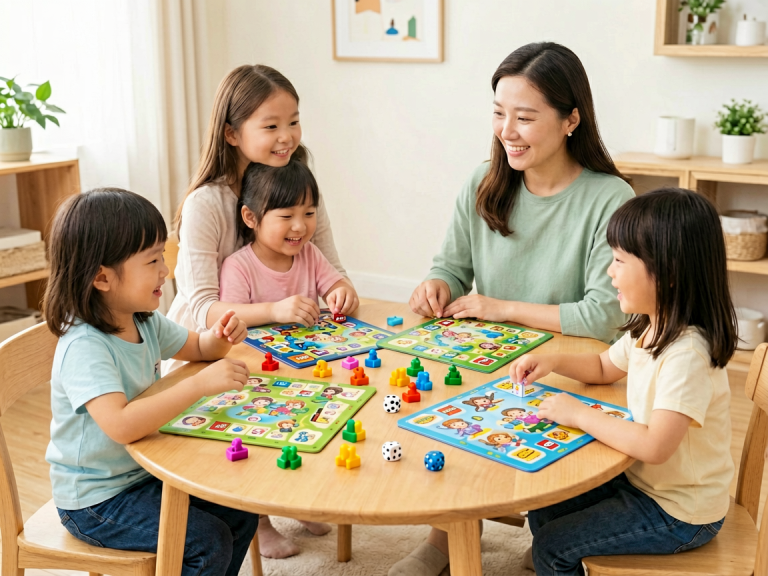
Narrative-based activities offer a wonderfully safe way to introduce coding concepts without any hardware. In storytelling, children naturally learn about sequence (beginning, middle, end), cause and effect, and conditional choices (if the wolf blows the house down, then the pig will run away). Parents and teachers can turn this into a coding exercise by using story cards or dice to generate random events. For example, a child might lay out three cards representing a character, an action, and a consequence, creating a "program" for a short story. More structured games like "Story Cubes" or "Sequencing Cards" require children to order events logically, mirroring the process of writing code. Another engaging approach is "code-a-story": children write a simple program for a puppet show, where each step is a command (e.g., "enter left," "say hello," "bow"). They then perform the show, correcting any mistakes as they go. These activities involve no electricity, no small parts, no screens—just imagination and spoken or written language. They are especially suitable for very young children (ages 3–6) who are not yet ready for abstract symbols. Furthermore, storytelling coding supports literacy, vocabulary development, and emotional intelligence, making it a holistic educational tool.
Nature-Based Coding: Outdoor and Environmental Activities
Moving learning outdoors can dramatically reduce safety risks while adding fresh air and physical exercise. Nature-based coding uses natural objects like sticks, stones, leaves, and sand to represent commands. For instance, children can create a "coding trail" in the garden by placing colored stones to indicate directions: red stone means turn left, yellow means jump forward, blue means spin around. Then one child navigates a path while another reads the "code." This activity teaches sequencing and directionality without any plastic or electronics. Another idea is "leaf sorting" algorithms: children collect different types of leaves and then create a set of rules to sort them by color, shape, or size—this introduces classification and conditional logic. Even simple activities like building a domino chain or a marble run in a sandbox incorporate principles of cause and effect and sequencing. These alternatives are inherently safe: natural materials are non-toxic, have no choking hazards (if supervised for small items), and encourage sensory engagement. Additionally, outdoor coding activities combat the sedentary lifestyle associated with screen-based toys, promoting physical health and connection with nature.
Large-Part Robotics Kits and Safe Electronic Alternatives
For those who still want a taste of robotics without the typical risks, there are safer electronic alternatives designed with child safety in mind. Some manufacturers produce coding robots made from large, soft, and durable parts that cannot be swallowed or disassembled easily. For example, robot kits that use chunky, silicone-covered wheels and large buttons eliminate small parts entirely. Others rely on sound or light sensors instead of wireless connections, removing hacking and privacy concerns. Battery compartments should be secured with screws, preventing children from accessing the batteries. Another emerging option is "coding without electricity," such as a wooden robot that moves based on a physical punch-card reader: children create a sequence of holes on a cardboard strip, and the robot reads it using mechanical switches. This is entirely battery-free and screen-free. When choosing any electronic toy, always look for certifications like CE, RoHS, or ASTM F963 which ensure non-toxic materials and safety standards. Prefer toys that use rechargeable batteries with built-in protection circuits rather than loose coin cells. Even with these safer electronics, limit usage time and combine them with unplugged activities to maintain a balanced learning environment.
Teaching Debugging and Resilience Through Low-Tech Play
One often overlooked benefit of screen-free coding alternatives is that they naturally teach debugging—the process of finding and fixing errors—in a low-stakes, physical environment. When a child sets up a row of dominoes and one falls too early, they must backtrack, identify the incorrect placement, and adjust. When a storytelling game goes off-script, children have to reassess their sequence. These moments build resilience and critical thinking without the frustration of a flashing error message on a screen. Low-tech alternatives also allow for open-ended exploration. A child can spend hours rearranging wooden blocks to discover new patterns, whereas a digital coding game might limit choices to pre-programmed levels. This freedom sparks authentic creativity and problem-solving, which are the true goals of coding education in early childhood.
Conclusion: Prioritizing Safety Without Sacrificing Learning
The push to introduce coding to young children is well-intentioned, but it must not come at the expense of their health, safety, or developmental needs. Safer alternatives to coding toys offer a path that respects young learners' physical and cognitive limits while still building essential computational thinking skills. From unplugged paper-and-pencil activities to nature-based sorting games, from wooden coding blocks to story sequencing, these options are accessible, sustainable, and often more engaging than their high-tech counterparts. They require no batteries, no Wi-Fi, and no screens, yet they teach the same core concepts—sequences, loops, conditionals, and debugging—in a hands-on, social, and safe manner. As parents and educators, we can embrace these alternatives with confidence, knowing that we are nurturing curious minds in a environment free from unnecessary risks. The future of early childhood coding education is not about more gadgets; it is about smarter, safer, and more thoughtful play.