Cleaner Code, Clearer Mind: Less Clutter Alternatives to Coding Robots
Introduction
In recent years, coding robots have become a staple of STEM education. From LEGO Mindstorms to Sphero, Dash, and Botley, these colourful, motorised companions promise to teach children the fundamentals of programming through hands-on play. And they do work — many children have learned loops, conditionals, and sequences by commanding a robot to roll across a mat or navigate a maze. Yet there is a growing problem that few parents and educators talk about: clutter.
Coding robots come with dozens of parts — wheels, sensors, cables, charging docks, remote controls, and often a dedicated tablet or app. Once the initial excitement fades, these pieces end up scattered in toy bins, tangled in cords, or collecting dust on a shelf. More importantly, the physical and digital clutter can distract from the core goal: understanding computational thinking. The robot becomes a shiny object, and the logic behind the code gets lost in the noise.
This article explores less clutter alternatives to coding robots — approaches that strip away the hardware excess and focus on the essence of programming. These methods are not only tidier for your home or classroom, but often more effective at building genuine coding skills. By reducing physical and cognitive noise, we create space for deeper learning.
—
The Rise of Coding Robots and Their Hidden Clutter
Coding robots entered the mainstream around 2013 with products like the Sphero SPRK and Ozobot. They were marketed as a bridge between the abstract world of code and the tangible world of movement. Children could write a simple command and watch the robot respond — immediate, satisfying feedback.
Yet the clutter problem is multifaceted. First, there is the physical clutter: each robot typically requires a charging cable, a specialised mat or activity cards, extra batteries, and sometimes replacement parts. A classroom with thirty students might have thirty robots, each with its own kit. Storage becomes a nightmare. Second, there is digital clutter: many robots rely on proprietary apps that clog a tablet’s memory, require updates, and often demand a stable internet connection. Third, there is the cognitive clutter — the distraction of the robot itself. Children often become more interested in making the robot flash lights or spin wildly than in understanding why the code produced that behaviour. The learning objective gets buried under the novelty.
For families or schools with limited space, budget, or patience, these robots can become a burden rather than a tool. Fortunately, there are simpler, more elegant ways to teach coding — ways that generate less mess, less cost, and less mental noise.
—
Unplugged Coding: The Ultimate Minimalist Approach
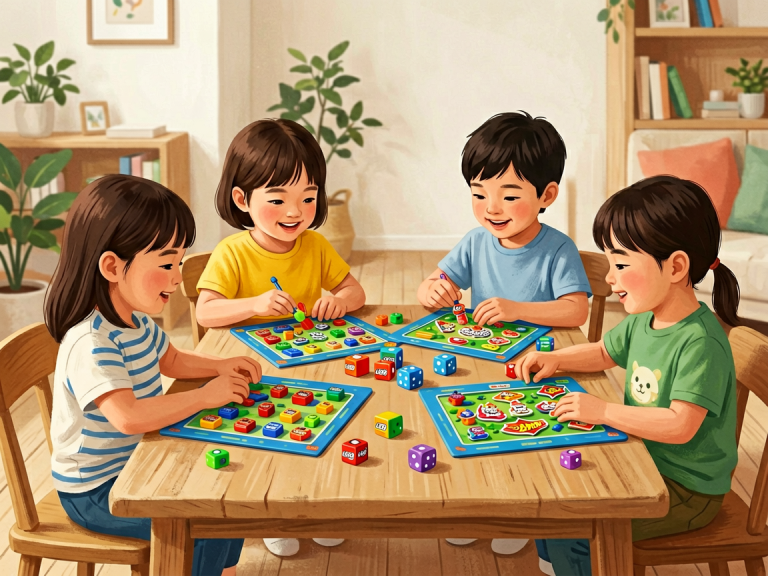
The most radical alternative to coding robots is unplugged coding — teaching programming concepts without any electronic device at all. Pioneered by computer scientists like Tim Bell, unplugged activities use paper, pencils, cards, or even body movement to illustrate ideas such as algorithms, binary numbers, and debugging.
For example, a common unplugged activity is the “human robot.” One child plays the role of a robot and can only follow exact instructions. Another child gives step‑by‑step commands (e.g., “take two steps forward, turn left, pick up the red cup”). This teaches sequencing and precision without a single pixel. Another classic is “binary bracelets,” where children use coloured beads to represent 0s and 1s, learning how computers store data.
The benefits are immense. There is zero clutter: no batteries, no cables, no apps. Everything can be done on a table or a floor mat. The activities are cheap, reusable, and infinitely adaptable. Moreover, unplugged coding forces children to think abstractly, because there is no immediate physical reward — only the satisfaction of a correctly followed sequence. Research shows that unplugged methods can be just as effective as robot‑based learning for foundational skills, especially for younger children aged 4–8.
Of course, unplugged coding has limitations: it cannot teach real‑world syntax or debugging in actual programming environments. But as a starting point or a supplement, it is the cleanest, most clutter‑free option available.
—
Visual Programming Platforms: A Digital Cleansing
If you want to stay digital but avoid the hardware mess, visual programming platforms like Scratch, Blockly, or Tynker offer a powerful alternative. These platforms replace physical robots with on‑screen characters and environments. Children drag and drop colour‑coded blocks to create animations, games, or interactive stories.
Scratch, developed by MIT, is the most famous example. It runs in a web browser (no installation) and provides a vast library of sprites and backgrounds. A child can program a cat to dance, a ball to bounce, or a spaceship to fly — all with simple block logic. The feedback is immediate and visual, just like a robot, but without the need for hardware.
The clutter advantage is obvious: no physical objects to store, charge, or lose. The only device needed is a computer or tablet, and the entire “kit” fits inside a browser tab. Digital clutter is minimal — Scratch projects are saved online, and the interface is clean and uncluttered by ads or distractions.
Furthermore, visual platforms often teach more advanced concepts than typical robot kits. Scratch includes variables, lists, custom blocks, and even cloud‑based data. Children can create complex projects like multi‑level games or simulations, which is difficult to achieve with a robot that simply moves around. The learning curve is gentle, but the ceiling is high.
For educators, managing a classroom of Scratch users is far easier than managing thirty robots. No batteries die mid‑lesson, no pieces roll under desks, no cables get chewed by a pet. The only requirement is a screen — and screens are already ubiquitous in most modern classrooms and homes.
—
Text‑Based Coding with Simple Tools
For older children (ages 10 and up) who are ready to move beyond blocks, text‑based coding can be taught with remarkably little clutter. Instead of a robot kit, all you need is a text editor and a programming language interpreter. Python, for example, is free, lightweight, and runs on any computer.
A typical “less clutter” setup might involve a Raspberry Pi (a single‑board computer the size of a credit card) or even just an online coding environment like Replit or Trinket. The child writes code that draws shapes, generates mathematical patterns, or processes text. The output appears on the screen — no motors, no wheels, no setup time.
Critics argue that text‑based coding lacks the tactile excitement of a robot. But that misses a key point: the thrill of text‑based coding comes from mastery. When a child writes a ten‑line Python script and sees a fractal appear, or writes a program that solves a puzzle faster than they can, the sense of accomplishment is profound. And because there is no hardware to distract, the focus stays on the logic itself.
For a hybrid approach, consider the micro:bit — a small, programmable device with built‑in LEDs, buttons, and sensors. It is far less cluttered than a full‑sized robot: no wheels, no chassis, no battery pack to buy separately (the micro:bit runs on two AAA batteries). Its simplicity reduces clutter while still offering tangibility. The code can be written in a browser‑based editor and flashed to the device via USB. The result is a minimal, focused coding experience that still provides physical feedback.
—
Hybrid Solutions: Balancing Tangibility and Tidiness
Some children genuinely learn better with a physical component — they need to touch, hold, and see a result in the real world. For them, the ideal solution is not a full‑featured coding robot, but a minimalist hybrid. Examples include the Makey Makey (a simple circuit board that turns everyday objects into touchpads) or the official BBC micro:bit (mentioned above).
Makey Makey, for instance, connects to a computer via USB and lets children use bananas, play‑dough, or aluminium foil as keyboard keys. The learning involves circuitry and programming (using Scratch or Python), but the physical setup is deliberately crude — just a small board and alligator clips. There are no motors, no gears, no tricky assembly. The clutter is minimal: a few wires and a board that fits in a pocket.
Similarly, the “littleBits” system offers magnetic electronic modules that snap together without soldering. While not strictly a coding robot, littleBits can be combined with a code bit (a small microcontroller) to program behaviours like flashing lights or spinning a fan. Compared to a full robot kit, littleBits has fewer parts, no tiny screws, and a much simpler storage solution (a single box).
The key is to choose hybrids that prioritise *simplicity of interaction* over *complexity of hardware*. A good rule of thumb: if the toy requires more than five minutes to set up, it is probably too cluttered for everyday use.
—
Conclusion: Why Less Clutter Leads to More Learning
The rush to adopt coding robots has, in many cases, created more problems than it solves. Cluttered classrooms, overwhelmed parents, and distracted children are not the ingredients for a successful STEM education. The alternatives outlined here — unplugged activities, visual platforms, text‑based tools, and minimalist hybrids — offer a cleaner, more focused path.
By choosing less clutter, we do not sacrifice learning quality. In fact, the opposite often happens. Without the noise of spinning wheels and blinking lights, children can concentrate on what truly matters: the logic, the sequence, the algorithm. They learn that code is not a magical command to a robot; it is a precise language for solving problems.
Moreover, these alternatives are more inclusive. Low‑income schools and families can access free online platforms or simple paper‑based activities, rather than spending hundreds of dollars on robots that may be discarded in a year. The minimalism also aligns with sustainable practices — fewer batteries, fewer rare‑earth metals, less electronic waste.
In the end, the goal of teaching coding is not to produce a generation of robot‑whisperers. It is to cultivate computational thinkers — people who can break down a problem, recognise patterns, design solutions, and test them iteratively. That skill does not require a plastic chassis with flashing LEDs. It requires a clear mind and a clean space. So next time you consider buying a coding robot, ask yourself: is this the simplest way to learn? Or is there a less cluttered alternative that works just as well — and leaves more room on the shelf for creativity?