Building Young Minds: The Power of Coding Robots and Games for Kindergarteners
Introduction: Why Coding for the Youngest Learners?
In an era dominated by digital technology, the question is no longer *whether* children should learn about coding, but *how early* they should begin. While some parents and educators worry that introducing programming concepts to kindergarteners might be too abstract or developmentally inappropriate, a growing body of research suggests that the foundational skills of computational thinking—such as sequencing, pattern recognition, debugging, and logical reasoning—can be nurtured beautifully through hands-on, play-based approaches. Enter two powerful tools: coding robots and coding games. These are not about turning five-year-olds into junior software engineers; rather, they are about harnessing children’s natural curiosity, love of play, and desire to control their environment to build essential skills that will serve them well in any future career. From the tactile satisfaction of pressing buttons on a programmable toy to the colorful animations of a tablet game, the medium matters. This article explores the unique benefits, practical considerations, and pedagogical strategies behind using coding robots and coding games in kindergarten classrooms and homes, offering a comprehensive guide for parents, teachers, and curriculum developers.
The Cognitive Foundation: What Kindergarteners Gain from Early Coding
Before diving into specific tools, it is crucial to understand *why* coding activities are valuable at this delicate developmental stage. Kindergarteners, typically aged four to six, are in what psychologist Jean Piaget called the "preoperational stage." They think symbolically, use language to represent objects, but struggle with logical operations and perspective-taking. Coding robots and games, however, tap into their strengths: they love to imitate, explore cause and effect, and engage in repetitive, ritualistic play. When a child commands a robot to move forward, turn left, and then stop, they are engaging in a form of algorithmic thinking. They must break a larger goal ("get the robot to the red square") into smaller, sequential steps. This process builds executive function skills—working memory, cognitive flexibility, and inhibitory control—which are stronger predictors of academic success than early literacy or numeracy alone. Moreover, the iterative nature of "debugging" (fixing a wrong sequence) teaches resilience and a growth mindset. A robot that crashes into a wall is not a failure but a puzzle to solve. Coding games on tablets or computers can offer immediate visual feedback and progressive challenges, reinforcing these same skills in a different sensory modality. The key is that both approaches, when designed appropriately, transform abstract computational concepts into tangible, joyful experiences.
Coding Robots: Hands-On Learning for Young Minds
What Are Coding Robots for Kindergarteners?
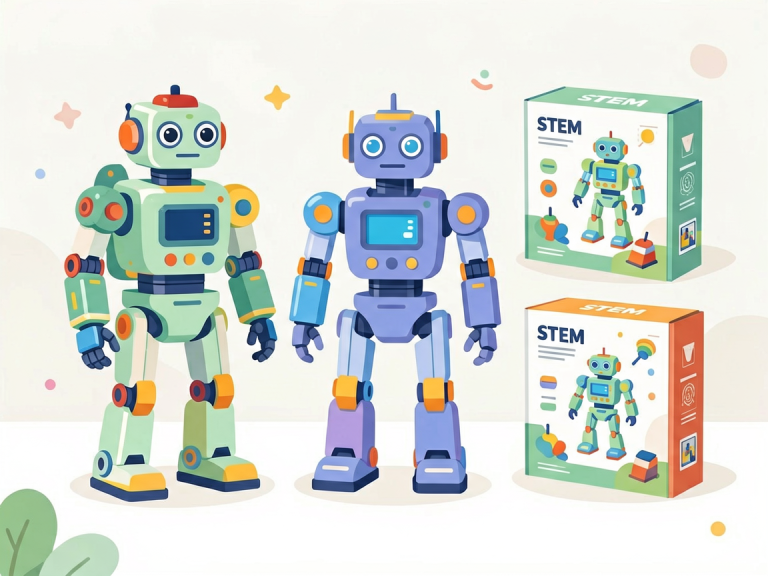
Coding robots designed for early childhood are typically small, durable, and screen-free—or nearly so. They do not require typing complex syntax; instead, they use physical buttons, directional arrows, or simple block-based command cards. Popular examples include the Bee-Bot, the Code-a-Pillar from Fisher-Price, the Botley the Coding Robot, and the Cubetto (which uses a wooden programming board and blocks). These robots look friendly and invite touch. A Bee-Bot, for instance, resembles a cheerful bumblebee with a clear plastic body that reveals its internal gears. Children press arrow buttons on its back to program a sequence of up to 40 steps, then press "Go" to watch the robot move. The Code-a-Pillar comes in segments that children snap together in different orders; each segment represents a command (forward, turn, wiggle). By reordering segments, they change the caterpillar’s behavior. Such devices are intrinsically motivating because they offer immediate, physical feedback: the robot moves, lights flash, sounds play. There are no screens to distract or confuse.
Key Educational Benefits of Physical Robots
The primary advantage of coding robots is that they bridge the digital and physical worlds. For kindergarteners, abstract concepts become concrete. When a child programs a robot to navigate a mat with pictures of animals, they must mentally plan a route, anticipate obstacles, and adjust their commands. This spatial reasoning is critical for later success in geometry, engineering, and even reading comprehension. Furthermore, physical robots encourage collaboration and communication. In a classroom setting, children often work in pairs or small groups, negotiating which commands to input, taking turns pressing buttons, and celebrating together when the robot reaches its target. This social interaction develops language skills and emotional regulation. Another underappreciated benefit is the elimination of screen time concerns. Many parents and pediatricians worry about excessive exposure to tablets and smartphones. Coding robots offer a "unplugged" coding experience that still builds computational thinking. Activities can also be extended into other domains: a teacher can place letters on a mat and ask students to program the robot to spell their name, integrating literacy; or place numbers and ask the robot to collect the correct quantity, blending math. Finally, the "debugging" process is deeply embodied. If the robot goes off track, children physically see the error. They can retrace steps, discuss what went wrong, and try a new sequence. This trial-and-error cycle, done with a tangible object, builds patience and problem-solving skills in a way that on-screen puzzles cannot fully replicate.
Practical Considerations and Limitations
While coding robots are powerful, they are not without limitations. Cost can be a barrier: a single Bee-Bot typically costs around 60–80 USD, and a classroom set for 20 children may require a significant budget. Durability is generally good, but younger children might drop or mishandle them. Additionally, the range of possible programs is limited. A Bee-Bot can only move in 15-cm increments and 90-degree turns, which means more complex coding concepts like loops or conditionals are not directly teachable without add-on mats or teacher scaffolding. Some robots require batteries (often rechargeable), and managing charging schedules for a full classroom can be tedious. There is also a risk that children focus more on the robot’s novelty than the underlying logic. Teachers must thoughtfully design activities that prompt reflection: "Why did the robot not go where you wanted? What could you change?" Without guidance, the robot becomes just a toy. Despite these challenges, the overwhelming evidence from early childhood education research supports that well-implemented robot-based coding activities significantly improve sequencing skills, directional language, and executive function in kindergarteners.
Coding Games: Digital Play with Purpose
The Landscape of Early Childhood Coding Apps
On the other side of the spectrum are digital coding games designed for tablets or computers. These apps use colorful graphics, animated characters, and tap-based interfaces to teach programming logic. Leading examples include ScratchJr (developed by MIT), Kodable, Code.org’s "Course A" for pre-readers, and Lightbot Jr. In ScratchJr, for instance, children snap together graphical blocks (like "move right," "jump," "repeat") to make a sprite move across a stage. The blocks are color-coded and shaped like puzzle pieces, so they only fit together in logical ways, preventing syntax errors. Kodable uses a friendly fuzzball creature that must be guided through mazes using basic directional commands, then introduces functions and loops as levels advance. These games are designed with universal design for learning in mind: they use icons instead of text, include audio instructions, and offer immediate, rewarding feedback (stars, celebrations, new levels). For many children, the vibrant digital environment is highly engaging and can be accessed at home as well as school, often at a low cost or for free.
Cognitive and Motivational Advantages of Screen-Based Coding
Coding games excel in several areas where robots fall short. First, they offer a virtually unlimited range of challenges that can be scaffolded automatically. An app can adjust difficulty based on a child’s performance, providing just-right challenges that maintain a state of flow. For example, Kodable’s curriculum progresses from simple sequences to conditional statements and loops, all within a framework that feels like play. Second, digital games provide immediate and varied feedback: sounds, animations, and score updates that reinforce correct actions. This can be more motivating than a robot that simply stops. Third, they allow for "what-if" experimentation without the physical constraints of a mat or floor space. Children can undo mistakes instantly, try dozens of strategies in minutes, and explore complex concepts like random events or parallel commands. ScratchJr even enables children to create their own stories and animations, integrating creativity with coding. For teachers, many apps offer dashboards that track student progress, identifying which concepts need reteaching. This data can inform instruction without requiring one-on-one observation. Additionally, screens are ubiquitous in modern life; teaching children to use them productively rather than passively is an essential digital literacy skill.
Potential Drawbacks and Best Practices
However, coding games are not a panacea. The most significant concern is screen time. The American Academy of Pediatrics recommends that children aged 2–5 limit non-educational screen time to one hour per day. While coding games are educational, they still contribute to total screen exposure. Prolonged tablet use can also hinder development of fine motor skills and spatial awareness that physical play provides. Another issue is passivity: children might click rapidly without deep thinking, especially if the game is too gamified with flashy rewards. Moreover, coding games lack the collaborative, physical interaction of robot activities. A child alone with a tablet misses the chance to negotiate, share, and move their body. To mitigate these risks, educators should integrate coding games in short, focused sessions (15–20 minutes) and pair them with off-screen discussion. For instance, after using Kodable, a teacher can ask: "What was the hardest puzzle? How did you figure it out?" This metacognitive debrief turns screen time into a learning experience. Parents can also use coding games as a family activity, working together on the same device. Finally, it is essential to choose apps that are truly educational, not just entertainment masks. Look for apps designed in collaboration with learning scientists (like ScratchJr from MIT) and that avoid excessive ads or in-app purchases.
Comparing Robots and Games: Which Is Better for Kindergarteners?
The honest answer is that it depends on the learning goals, the setting, and the child. For developing social skills, spatial reasoning, and a tangible understanding of cause and effect, coding robots are superior. They encourage movement, collaboration, and embodied learning. For fostering persistence through repeated failure in a safe, low-stakes environment, and for exposing children to advanced concepts like loops or conditionals in an automatic progression, coding games are more efficient. A balanced approach is ideal. In a classroom, teachers might use a "stations" model: one station has a Bee-Bot mat for group work, another station has tablets loaded with Kodable for independent practice, and a third station has open-ended building blocks for "unplugged" sequencing activities (like beads on a string to represent command sequences). This variety keeps engagement high and addresses different learning modalities. For parents at home, a simple rule is to prioritize active, hands-on play during the day and reserve tablet coding games for quiet times or short transitions. The most important factor is adult involvement. Whether using robots or games, the parent or teacher who asks questions, models thinking aloud, and celebrates mistakes as learning opportunities will amplify the educational benefits immensely.
Practical Implementation Tips for Parents and Educators
For the Classroom Teacher
Start small. Introduce one robot or game at a time, allowing a "free exploration" period before any structured task. Use floor mats with familiar themes (the alphabet, a farm, a city grid) to connect coding to existing curricula. Create a "coding journal" where children draw their programs or record successes with stickers. Incorporate "pair programming" where two children work together: one is the "driver" who presses buttons, the other is the "navigator" who plans the route, then they switch roles. This builds communication and teamwork. For coding games, project the tablet screen onto a smartboard for whole-group lessons, then let children practice in pairs. Align coding activities with literacy: after programming the Bee-Bot to spell "cat," have children write the word. Assess progress not through tests but through observation: can the child explain why the robot turned left? Can they predict what a sequence will do? Finally, remember that kindergarteners have short attention spans; plan coding sessions of 15–20 minutes maximum, with plenty of movement breaks in between.
For Parents at Home
You don't need to be a programmer to support your child. Borrow a robotic toy from the library or purchase an affordable option like the Code-a-Pillar (around 30 USD). Let your child play freely, then ask open-ended questions: "How did you make it go that way? What happens if you change this part?" For coding games, choose one or two high-quality apps and set a timer. Sit beside your child and narrate your own thinking: "I wonder if this block will make the bunny jump. Let's try it!" Avoid correcting mistakes immediately; let your child discover errors. Celebrate their "debugging" moments as proud achievements. Most importantly, integrate coding into everyday life: sort laundry by color (patterns), follow a recipe step-by-step (sequences), or take a walk and give directions (algorithms). The concepts are everywhere. By making coding a natural part of play, you nurture a mindset that views technology as a tool for creation, not consumption.
Conclusion: Coding as a Language of the Future
Coding robots and coding games are not opposing forces; they are complementary instruments in the grand symphony of early childhood education. A kindergarten who learns to program a Bee-Bot gains confidence in their ability to control a machine through their own commands. A kindergarten who navigates Kodable puzzles learns that mistakes are stepping stones to mastery. Together, these experiences build a foundation for computational thinking that will serve them in a world where algorithms shape everything from social media to healthcare. Yet the ultimate goal is not to produce a generation of coders—it is to produce a generation of problem-solvers, creators, and resilient learners. When we introduce coding through play, we honor the developmental needs of young children while preparing them for an uncertain future. As educators and parents, our role is not to teach syntax but to cultivate curiosity. Provide the tools—the buzzing robot, the glowing tablet—and step back to watch as the young mind, with its boundless imagination, begins to weave logic into the magic of play. That is the true power of coding robots and games for kindergarteners.