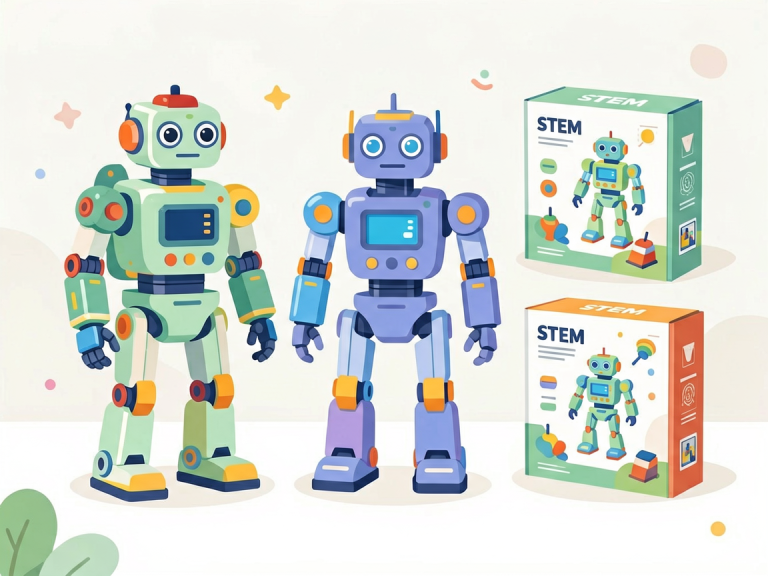
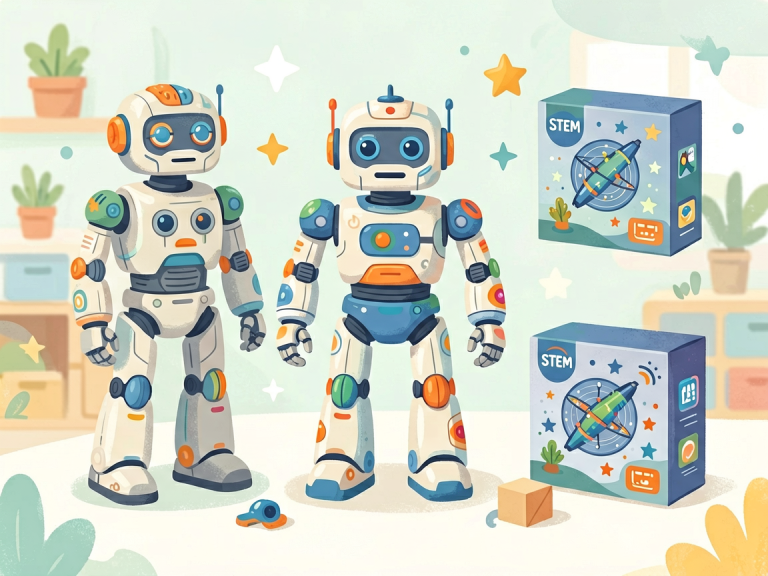
Building Blocks or Screen Taps? A Comprehensive Comparison of Robot Kits and Coding Apps for Kids
—
Introduction: The Great Debate in Kid-Tech Education
In the rapidly evolving landscape of childhood education, technology has become both a tool and a teacher. Among the most popular STEM (Science, Technology, Engineering, Mathematics) learning resources for children are robot kits and coding apps. Both promise to develop computational thinking, problem-solving skills, and creativity. Yet they represent fundamentally different philosophies: robot kits offer tangible, hands-on interaction with physical hardware, while coding apps deliver digital, interactive programming experiences on a screen.
Parents, educators, and even curriculum designers often find themselves torn between these two options. Which is more effective? Which engages a child longer? Which builds deeper understanding? The answer, as with most educational decisions, is not a simple either/or. This article aims to dissect the strengths and weaknesses of each approach, offering a nuanced comparison that goes beyond surface-level features. By the end, you will have a clear framework to decide which tool—or combination—best suits a child’s age, learning style, and long-term goals.
—
Section 1: The World of Robot Kits – Learning Through Touch and Motion
1.1 What Are Robot Kits for Kids?
Robot kits are physical construction sets that typically include motors, sensors, gears, wheels, and programmable microcontrollers. Brands like LEGO Mindstorms, VEX Robotics, and Makeblock have popularized this category. Children assemble the robot piece by piece, connect wires, and then write code (often block-based) to control it. The result: a moving, reactive machine that responds to commands in the real world.
1.2 Key Educational Benefits
Kinesthetic Learning: Young children, especially those in primary school, learn best through physical manipulation. Robot kits engage multiple senses: sight, touch, and even sound (servo motors whirring, wheels clicking). This multi-sensory experience reinforces abstract concepts like cause and effect. For example, when a child writes a line of code to make a motor spin 90 degrees, they immediately see the gear turn. The code is no longer a cryptic string; it becomes a direct command that produces a visible, satisfying result.
Real-World Problem Solving: Debugging a robot which fails to move in a straight line requires systematic thinking. Is the code wrong? Is the wheel misaligned? Is the sensor blocked? This mirrors real engineering challenges. Children learn to iterate: test, observe, adjust, test again. This process builds resilience and patience. Unlike apps where a wrong tap might simply show an error message, a robot’s physical failure is visceral—it doesn’t move, it falls over, it bumps into the wall. The motivation to fix it is immediate and powerful.
Collaboration and Communication: Robot kits are often used in group settings—school clubs, workshops, or family projects. Assembling a robot requires teamwork. One child might focus on the mechanical structure while another writes the code. Debates about design choices naturally arise. “Should we use four wheels or two?” “Should the arm be longer?” These conversations develop communication skills and the ability to compromise.
Introduction to Hardware Concepts: Children get exposed to gears, levers, pulleys, torque, and battery voltage. These are concepts that coding apps simply cannot teach. Understanding how physical components interact with software is a foundational skill for anyone interested in engineering or industrial robotics.
1.3 Potential Drawbacks
Cost: High-quality robot kits can range from $100 to over $600. This makes them a significant investment, especially for families with multiple children. Cheaper alternatives exist but often lack durability or advanced sensors.
Time and Complexity: Setting up a robot takes time—sometimes an hour or more just for the construction phase. Younger children (under 7) may become frustrated or lose interest before the coding part begins. For parents with limited free time, the setup burden can be daunting.
Space and Storage: A finished robot may be large (e.g., a humanoid or rover). Parents need to find a dedicated space to keep the robot intact if the child wants to revisit it later. Disassembling and rebuilding repeatedly is excellent for learning but can be messy.
—
Section 2: The Landscape of Coding Apps – Learning Through Intuitive Screens
2.1 What Are Coding Apps for Kids?
Coding apps are software applications designed for tablets, smartphones, or computers that teach programming concepts through interactive games, puzzles, and creative projects. Prominent examples include ScratchJr, Tynker, Kodable, and Lightbot. Most use drag-and-drop block coding, where children snap together visual blocks to create sequences, loops, and conditionals, without needing to type syntax.
2.2 Key Educational Benefits
Low Barrier to Entry: A child can open a coding app and start learning within seconds. No physical assembly, no wiring, no batteries to change. This immediacy is perfect for short attention spans or for parents who want a quick educational activity during a car ride or waiting room visit. Apps are also typically inexpensive or even free, making them accessible to a wide audience.
Progressive Learning Pathways: Coding apps are explicitly designed with pedagogy in mind. They often include step-by-step tutorials, adaptive difficulty, and instant feedback. A child who fails a puzzle immediately sees where the mistake occurred and can retry. Apps also track progress, award badges, and unlock levels—gamification elements that keep children engaged over weeks or months.
Portability and Scalability: A single tablet can hold hundreds of coding projects. There’s no physical clutter. Children can code anywhere: in a hotel room, on a plane, or at a friend’s house. They can also share their creations digitally with peers, fostering an online community of young programmers.
Focus on Logic and Abstraction: Because coding apps operate in a purely digital environment, they force children to think in abstract terms. For example, in ScratchJr, a child must understand that an “event” block triggers an animation. This abstraction is essential for later learning real programming languages like Python or JavaScript. Apps can also teach sophisticated concepts such as variables, functions, and arrays—topics that are harder to demonstrate with a physical robot limited to simple movements.
2.3 Potential Drawbacks
Screen Time Concerns: The biggest criticism of coding apps is that they contribute to excessive screen time. Many parents worry about eye strain, reduced physical activity, and the addictive nature of gamified apps. Even if the content is educational, the medium itself can be problematic if not balanced with offline activities.
Lack of Tangible Feedback: When a child drags a block to make a pixelated cat jump, the result is a pixel moving on a screen. There is no physical consequence. For kinesthetic learners, this can feel disconnected. They may internalize coding as “magic” rather than as a series of commands that cause mechanical action. This gap can lead to a surface-level understanding that doesn’t translate well to real-world engineering.
Limited Collaboration: While some apps have multiplayer features, most coding apps are solitary experiences. A child sits alone with a screen, tapping and dragging. This does not develop teamwork, negotiation, or communication skills in the same way as building a robot with a partner.
Potential for Passive Consumption: Some children, especially if unsupervised, might skip the learning parts and just watch pre-made animations or play simple games within the app. The educational benefit depends heavily on parental involvement and the child’s self-motivation.
—
Section 3: Head-to-Head Comparison – Which Is Better for Which Child?
3.1 Age and Developmental Stage
For children aged 4–6, coding apps generally win. Apps like ScratchJr or Kodable use very simple, colorful interfaces that match young children’s cognitive abilities. Robot kits at this age are often too complex mechanically; many kits are rated for ages 8+. However, there are exceptions like the “Botley” robot, which is screen-free and uses button commands, but that is a different category (not coding blocks).
For ages 7–11, both options are viable, but the best choice depends on the child’s learning style. A child who loves building with LEGO, enjoys puzzles, and has patience for detailed work will thrive with robot kits. A child who is more visual, enjoys storytelling, and quickly loses interest in assembly will prefer coding apps.
For teens (12+), robot kits can offer advanced challenges—such as programming in Python or C++ to control sensors for autonomous navigation. Coding apps, meanwhile, can transition into full-fledged programming environments like Swift Playgrounds or Unity, which are used for real app and game development.
3.2 Learning Style: Visual, Auditory, or Kinesthetic
Kinesthetic learners (those who learn by doing and moving) benefit enormously from robot kits. The physical act of building, connecting wires, and watching something move cements learning. Visual learners may do equally well with coding apps that rely on colorful blocks, diagrams, and animations. Auditory learners might be underserved by both options, though some apps include voice instructions.
3.3 Depth vs. Breadth
Coding apps typically cover a broader range of programming concepts in a shorter time. A child can learn loops, conditionals, events, and variables within a few weeks. Robot kits, on the other hand, focus on a deeper but narrower set of skills. A child might spend weeks perfecting a line-tracking robot, learning detailed geometry and feedback control. This depth builds perseverance and mastery, but at the cost of breadth.
3.4 Budget and Logistics
Families with limited budgets or space should lean toward coding apps. Most apps are free or under $10 per month. Robot kits require a higher upfront investment and storage space. Schools and libraries, on the other hand, often invest in robot kits because they can be reused by many students over years.
—
Section 4: The Ideal Approach – A Hybrid Model
4.1 Start with Apps, Graduate to Kits
Many educators recommend a sequential approach: begin with coding apps around age 5–7 to build a solid foundation in computational thinking. Once the child grasps loops, conditionals, and sequencing (usually by age 8), introduce a robot kit. The child will then already understand the logic and can focus on the mechanical challenges. This hybrid avoids frustration from both extremes.
4.2 Simultaneous Use for Enrichment
For children who show strong interest, using both in parallel is powerful. For instance, a child might code a virtual robot in a Scratch game to navigate a maze, then later build a physical robot to do the same. The parallels between the two experiences reinforce learning and highlight the differences between simulation and reality.
4.3 Parental Involvement Matters More Than the Tool
Research consistently shows that the effectiveness of any educational technology depends on adult facilitation. A parent or teacher who discusses the coding concepts, asks “what if” questions, and encourages reflection greatly amplifies learning. Whether you choose a robot kit or a coding app, active engagement makes the difference.
—
Conclusion: Choose Purpose, Not Hype
Robot kits and coding apps are not enemies; they are allies in a child’s developmental journey. A robot kit teaches the grit of physical engineering, while a coding app teaches the fluidity of digital logic. Neither fully replaces the other.
For a child who loves construction, buy a robot kit. For a child who loves puzzles and games, download a coding app. For a child who needs both, combine them gradually. Above all, remember that the goal is not to produce a robot engineer or a software developer at age ten, but to nurture a curious mind that understands technology as a tool for creation—not just consumption. The best tool is the one that keeps a child asking, “What happens if I try this?”
Whether that question is answered by a whirring motor or a bouncing pixel, the journey matters more than the destination.